Knowledgebase
All the questions we get asked a lot answered in one place, as well as additional information about us and our services.
« back to overview
Alternatively, as the service owner, you can change passwords for all accounts through your dashboard:
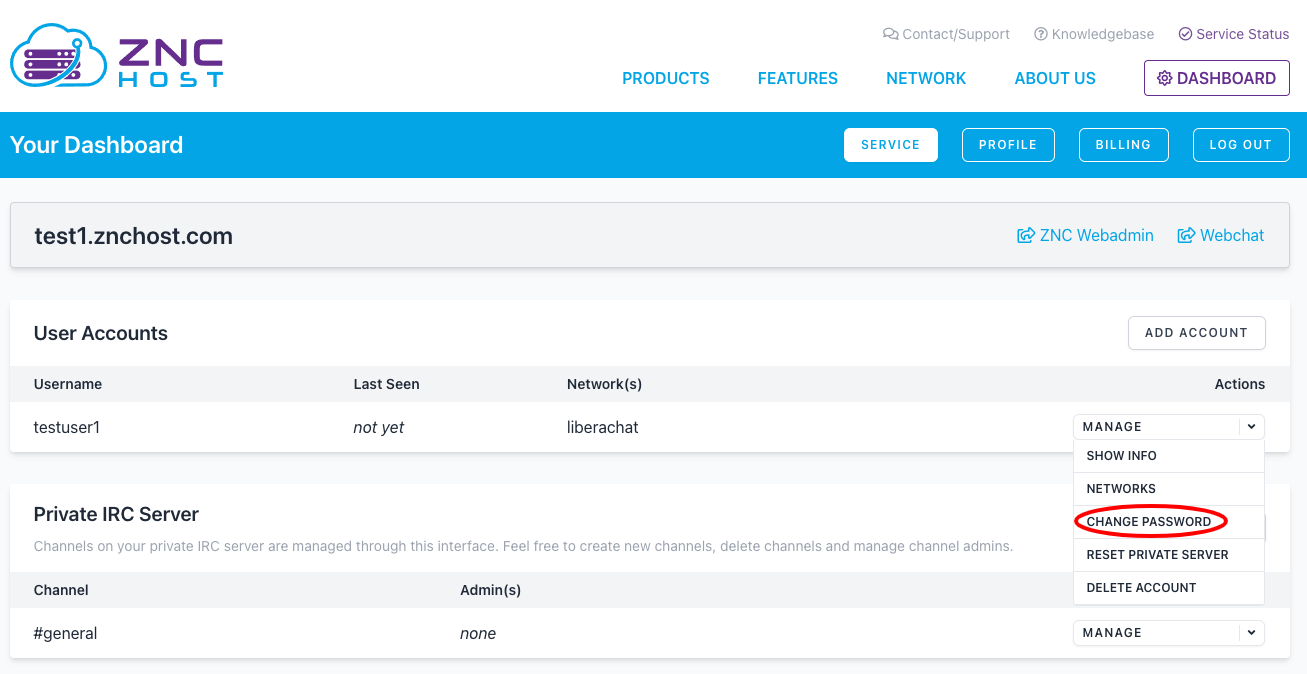
Manage Dropdown in User Accounts
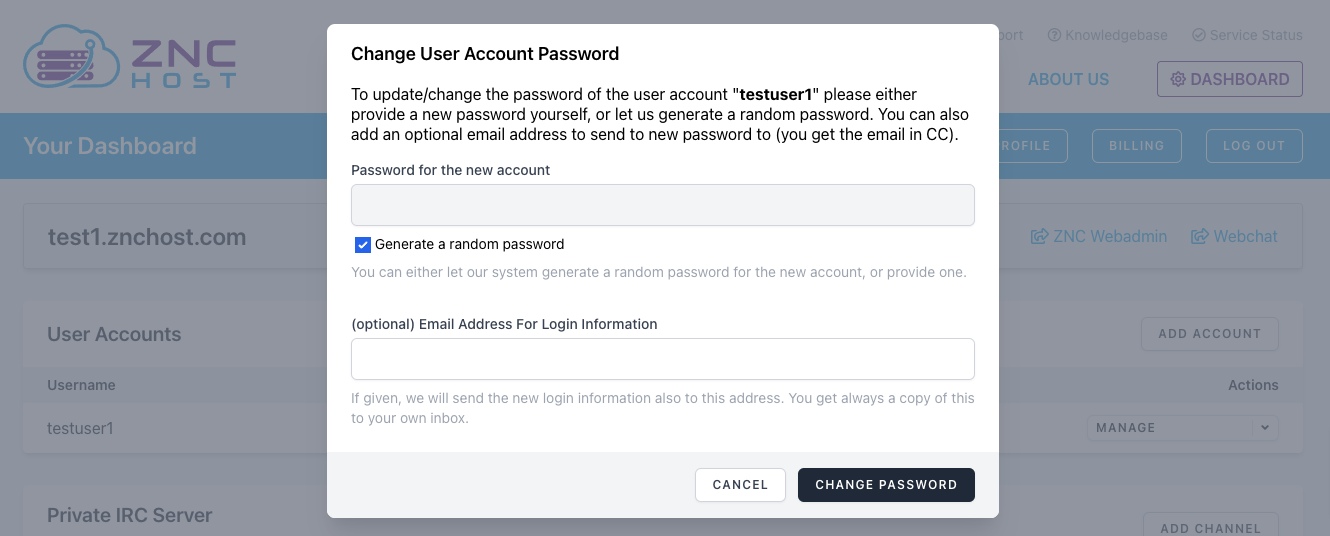
Change User Account Password Popin
How do I change my ZNC password?
If you still have access (thus remembering your current password), you can change your password through ZNC itself via the controlpanel module:
/msg *controlpanel set password <your-username> new-password
Alternatively, as the service owner, you can change passwords for all accounts through your dashboard:
Other Articles in Service (ZNC)
- How can I connect to a custom IRC network?
- How do I add/edit/delete networks in my ZNC account?
- How do I change/setup my Vanity Host / PTR?
- How do I connect to ZNC?
- How do I connect using The Lounge / Webchat?
- How do I load and unload ZNC modules?
- I cannot find my network in the list. What can I do?
- What is a PTR / Vanity Host?
- What is The Lounge / Webchat?
- What is ZNC?
- What ZNC modules are available?
Need help with something?
Please check out our knowledgebase for the most common topics and feel free to contact our support anytime!